The photo startsbefore you leave.
The Sun, the Moon, the Milky Way and eclipses from your own spot, with the weather and the map. And the sky drawn live over your camera, so you can frame in the afternoon what you'll be photographing before dawn.
No ads and no accounts. Every calculation runs on your phone.
Seven screens
Everything you need before you press the shutter.
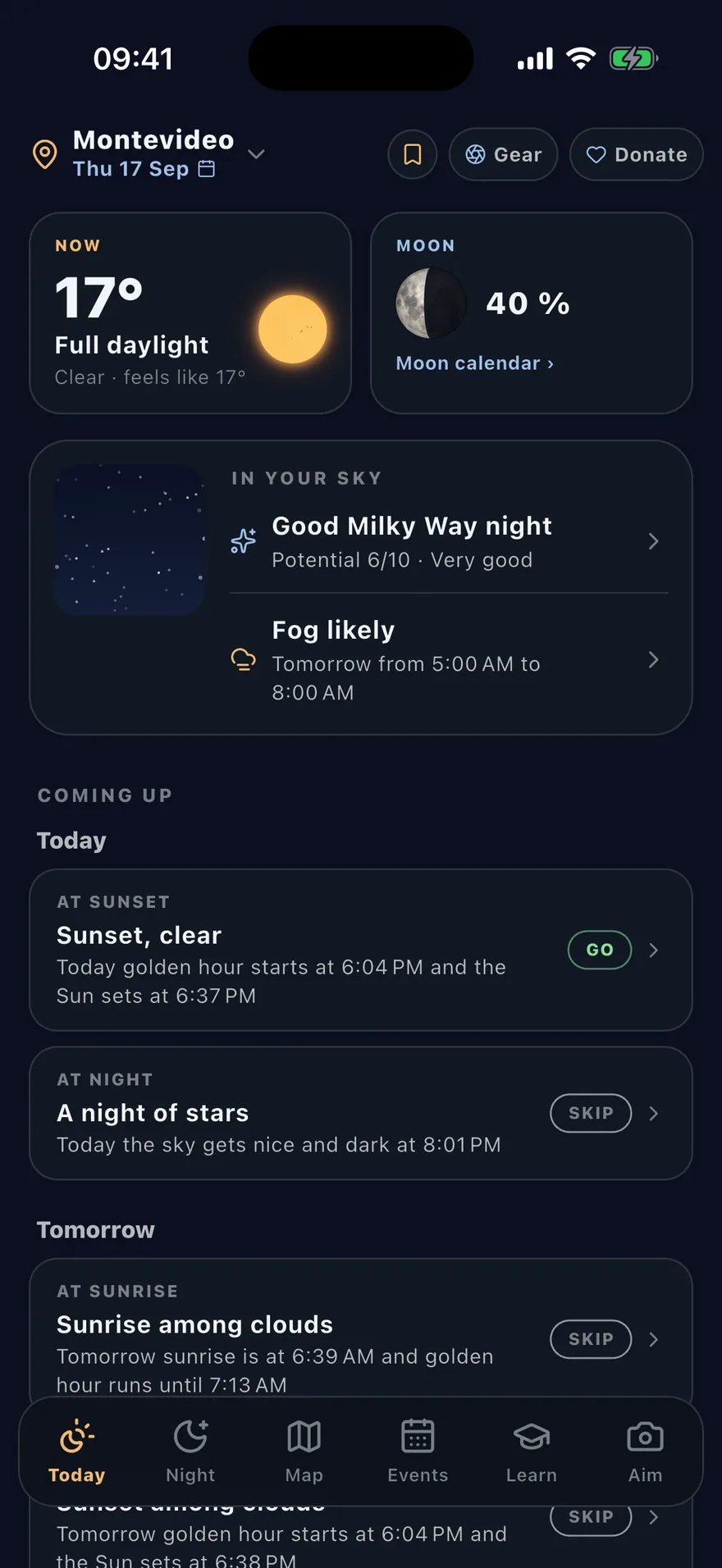
Today
The times that matter, one after another: sunrise, golden hour, blue hour, daylight, sunset and night, with the Moon and its phase. And the weather where you are, right at the top, so you know whether it's worth going out.
- Planning and Community, in two tabs
- Sun, Moon and places on a single screen
- The weather right now: low, mid and high clouds, humidity and rain
- Every stretch of the day with its temperature and its sky
Map
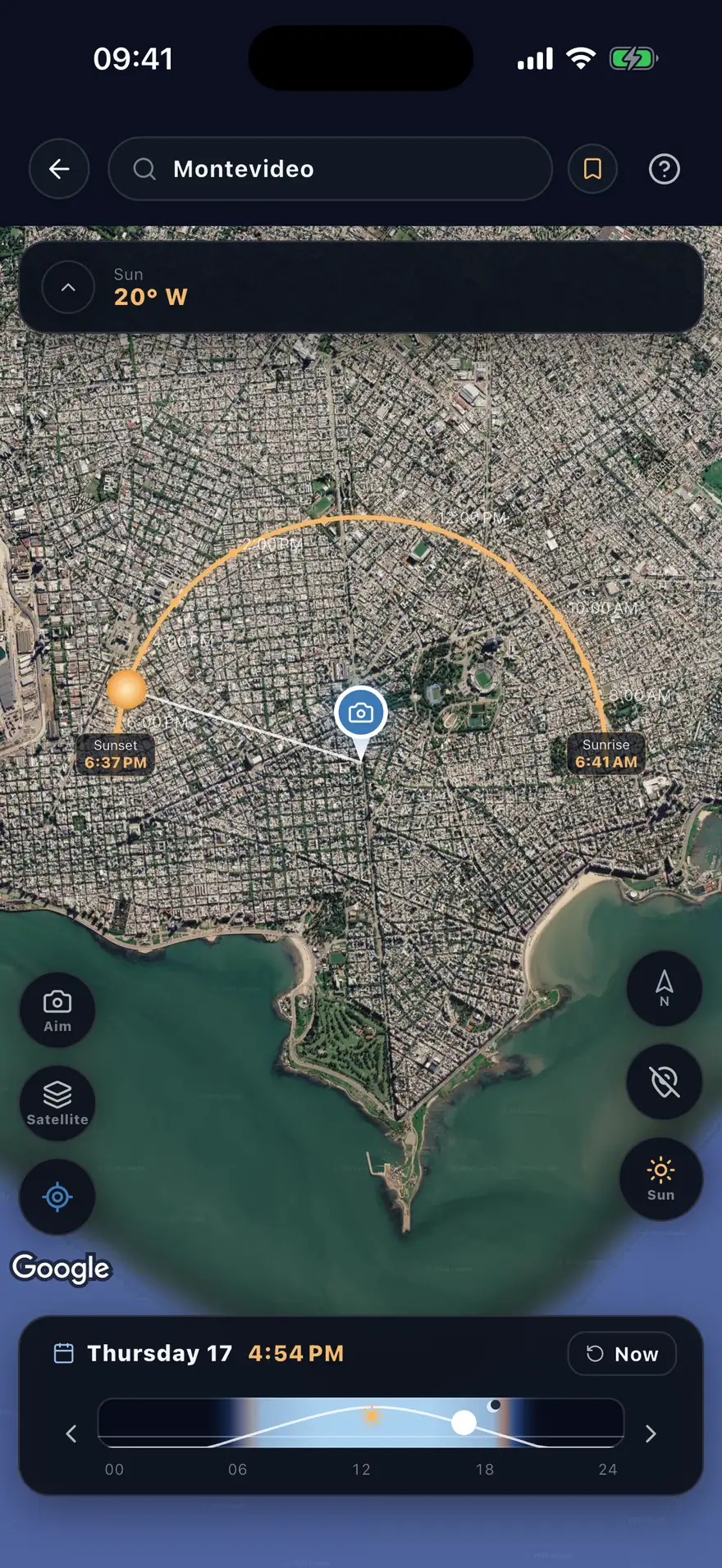
The sky seen from above, laid over the real terrain: the circle is your horizon and the arc is the path the Sun or the Moon takes across the day, with the hour marked. You drop a pin where you want the photo and you know when the Sun, the Moon or the Milky Way passes right through it.
- On Google's map: streets, sharp satellite imagery and terrain
- The whole day at a glance, not the direction at one instant
- Line up: the exact date and time the Sun or the Moon falls on your frame
- Search by name, coordinates, a Google Maps link, the location saved in a photo, or where your phone is
- Terrain view, to see how high the real horizon sits
- Street View, to scout the spot before you drive out there
- Favorites, to come back to the places you always shoot
Aim at the sky
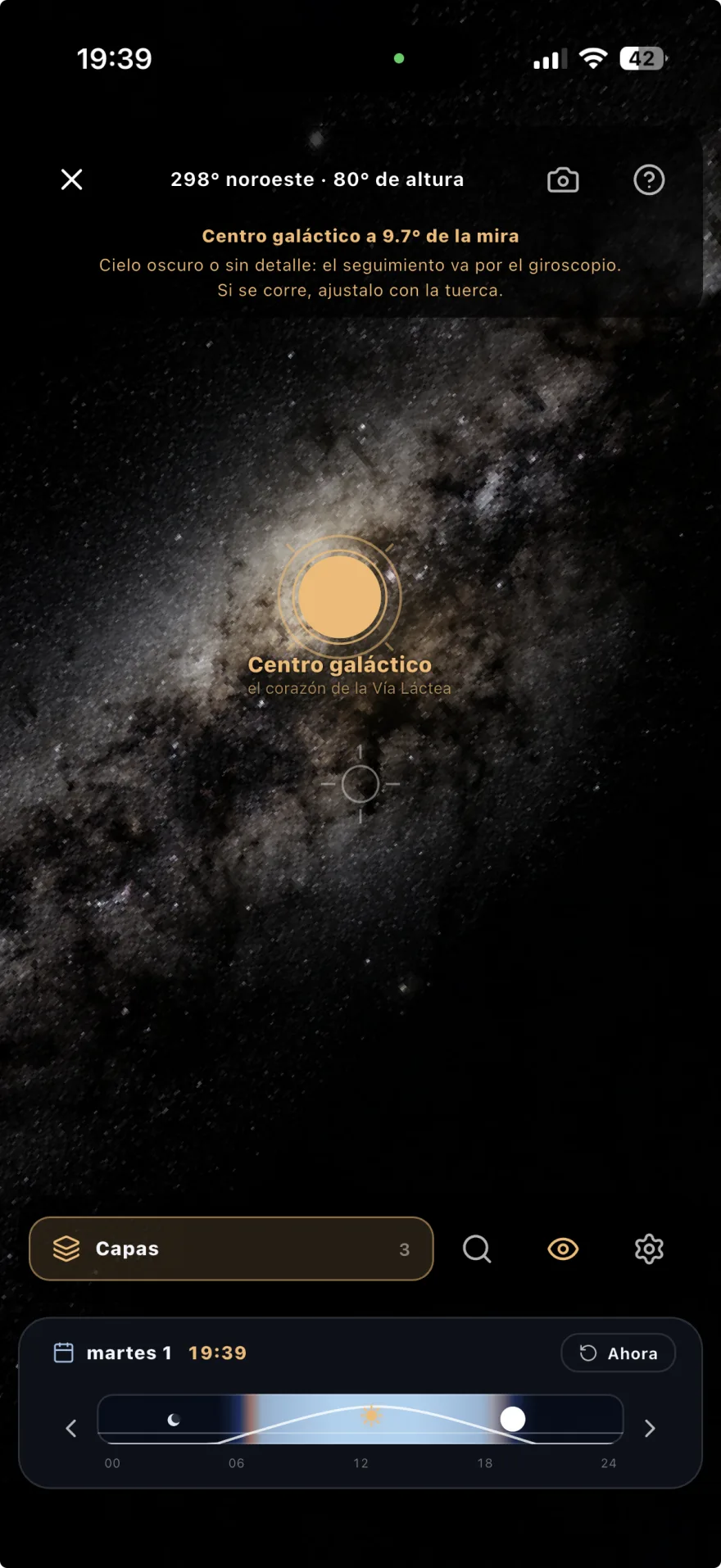
You lift your phone and see where everything is, day or night, drawn over what you're looking at. It's how you frame in the afternoon what you'll be photographing before dawn.
- Planets and constellations over the real landscape
- Nebulae and galaxies with their position and altitude
- Satellites passing overhead right then
- The arc of the Milky Way drawn across the sky
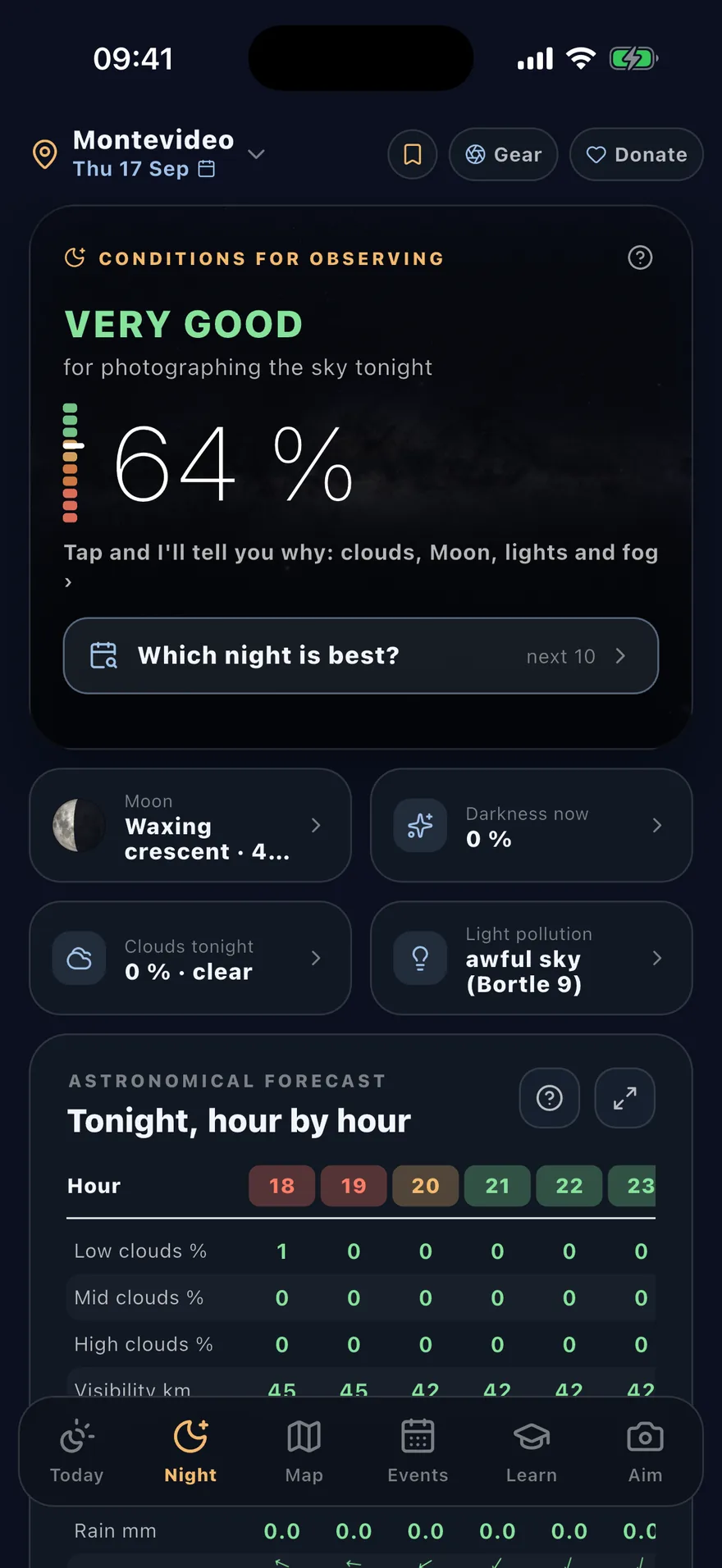
Night
One percentage that weighs how dark the sky gets, the Moon's phase and whether it's up, the clouds in the forecast and the light pollution where you are. Tap it and it explains everything pushing the number up or down, in plain words. Instead of opening three apps, you look at the nights ahead and pick the best one.
- The night's conditions as a single percentage, with the reason behind each factor
- Your best window to dodge the Moon
- An hour-by-hour astronomy forecast, each hour colored by how worth it going out is
- The planets visible tonight, and which way to look
Events
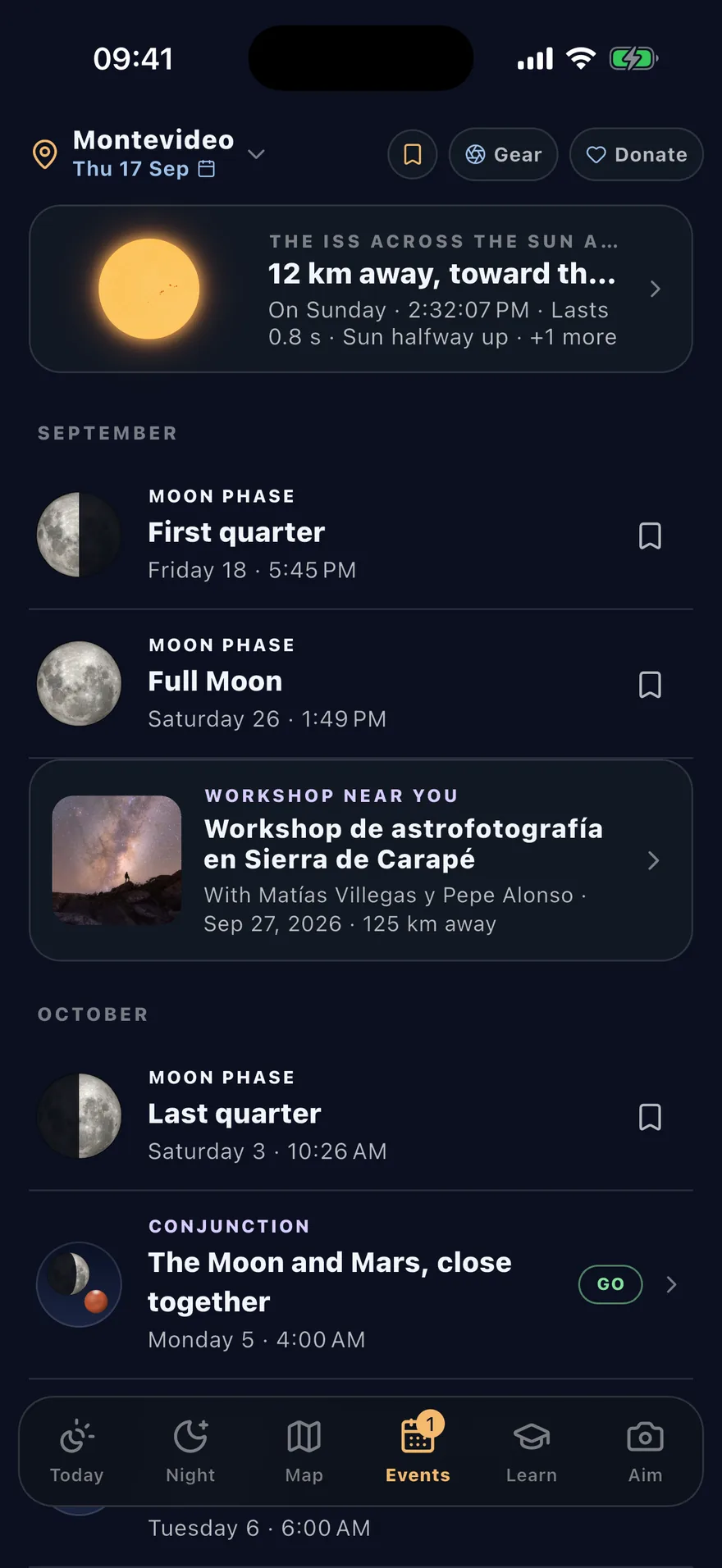
The events you can actually see from where you are, not the ones happening somewhere else: local times for every phase, and how much of it you'll really see.
- Solar and lunar eclipses with their local times
- A calendar of meteor showers and their peak
- How much the Moon will get in the way that night
Nearby
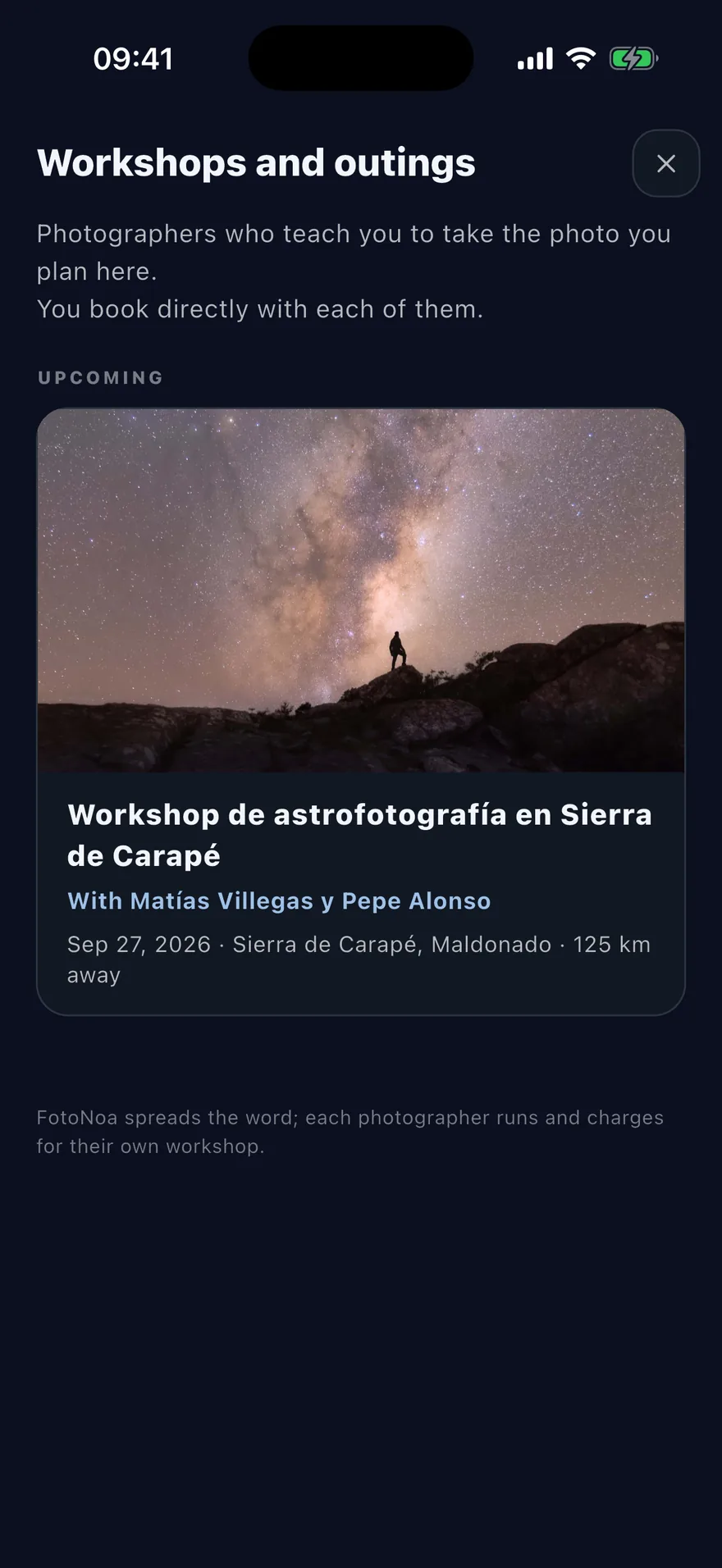
The Events agenda shows you, as one more date, everything within reach: the workshops and outings run by photographers who teach in your area, and at the bottom the photo shops and services. Each one with its own card, and a direct line to whoever runs it.
- Workshops and outings with date, place, price and how many km away they are
- Shops and services: gear, rentals, developing and repairs, with a phone number and directions
- Online courses by photographers, in the Courses tab of Learn
- If you run a shop, a service or an event, you add it from the app
Learn
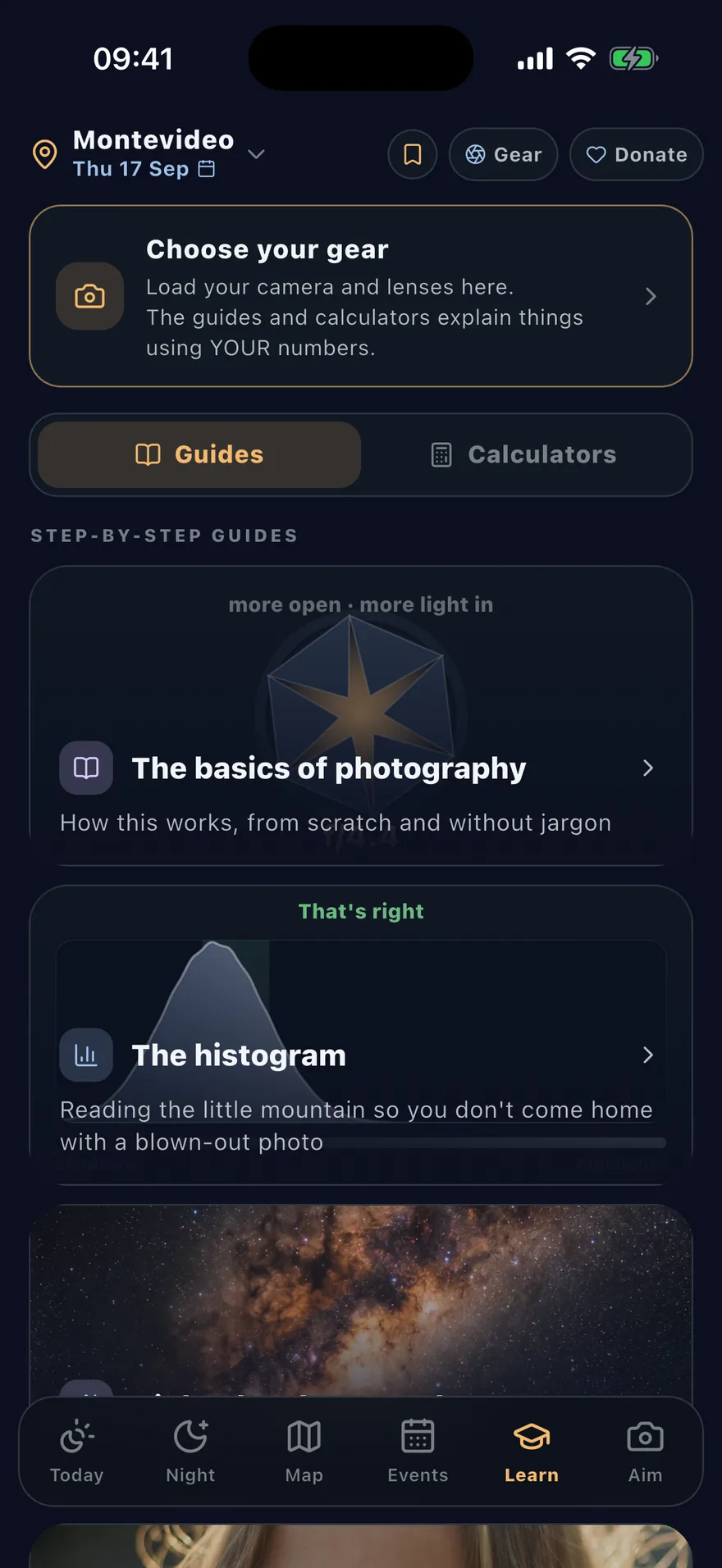
Short, to-the-point guides, and tools that do the math for you. You enter your camera and your lenses once, and everything hands you real settings instead of generic advice.
- Milky Way, full Moon, pinpoint stars and star trails
- Suggested aperture, ISO and shutter speed
- How many seconds you can expose before the stars start to trail
- Calculators for stars, star trails, ND filters and timelapse, with animations that move as you touch them
- Online courses by photographers, in their own tab
The app's own help
How each part works.
Pick a screen and read the steps. It's the same help you get inside FotoNoa, in case you want to read it before downloading, or out in the field with barely any signal.
Tap the name of the place at the very top. You can use GPS, search for a city, or pick one of the towns it suggests under «Near you».
What's new
What the latest version brings.
FotoNoa gets updated often. What changed last is written down here, so you don't have to guess by opening the app.
Joan Vendrell teaches in FotoNoa: his courses and workshops, in the app
v1.4.0September 2026
- Joan Vendrell, a photographer and teacher from Barcelona, is now a FotoNoa partner. The «Courses» tab in Learn introduces him with his photo, who he is and his links, and below lists his online courses with the price and the link to sign up.
- His 2026 in-person workshops show up in the Events agenda when you are near where the workshop takes place.
- In the FotoNoa screen, «Who I am» adds Daniel's photo and a «Partners of FotoNoa» section that tells who teaches in the app and why.
- The header chip is now called «Support»: that's where the coffee, who makes the app and how to write in live. And you switch language with a small button in that screen's title bar.
- While the forecast loads, Today tells you clearly what it's doing: the first time you opened the app it wasn't clear.
About
Behind FotoNoa there's a photographer.
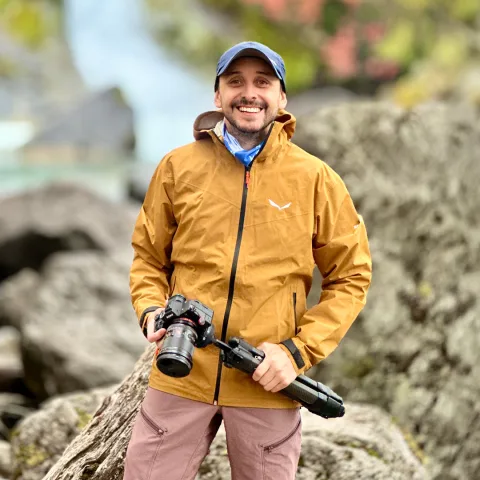
I'm Daniel Facelli and I lead FotoNoa. I specialize in night and landscape photography, where I find a space to connect with nature and silence. Besides shooting, I love teaching: on YouTube I share the behind the scenes of my photos, from planning to capture and editing. FotoNoa grew out of that planning: it's the tool I wanted in my pocket before every outing.
This project is sustained by the relationships that form around the app. Photographers who share a favorite, report a bug or suggest an idea.
I'm open to collaborating with other photographers and working together: outings, workshops, content or ideas for the app. Write to me and let's talk.
Download it free and go shoot.
It's on iPhone, Android and Mac. Next clear night you'll already know what time to look, and which way.